

Users
The Users section lists the end users of the selected AI application and provides access to their related sessions and files.
To open it, go to Applications, click the ID of the required application, and select the Users tab.
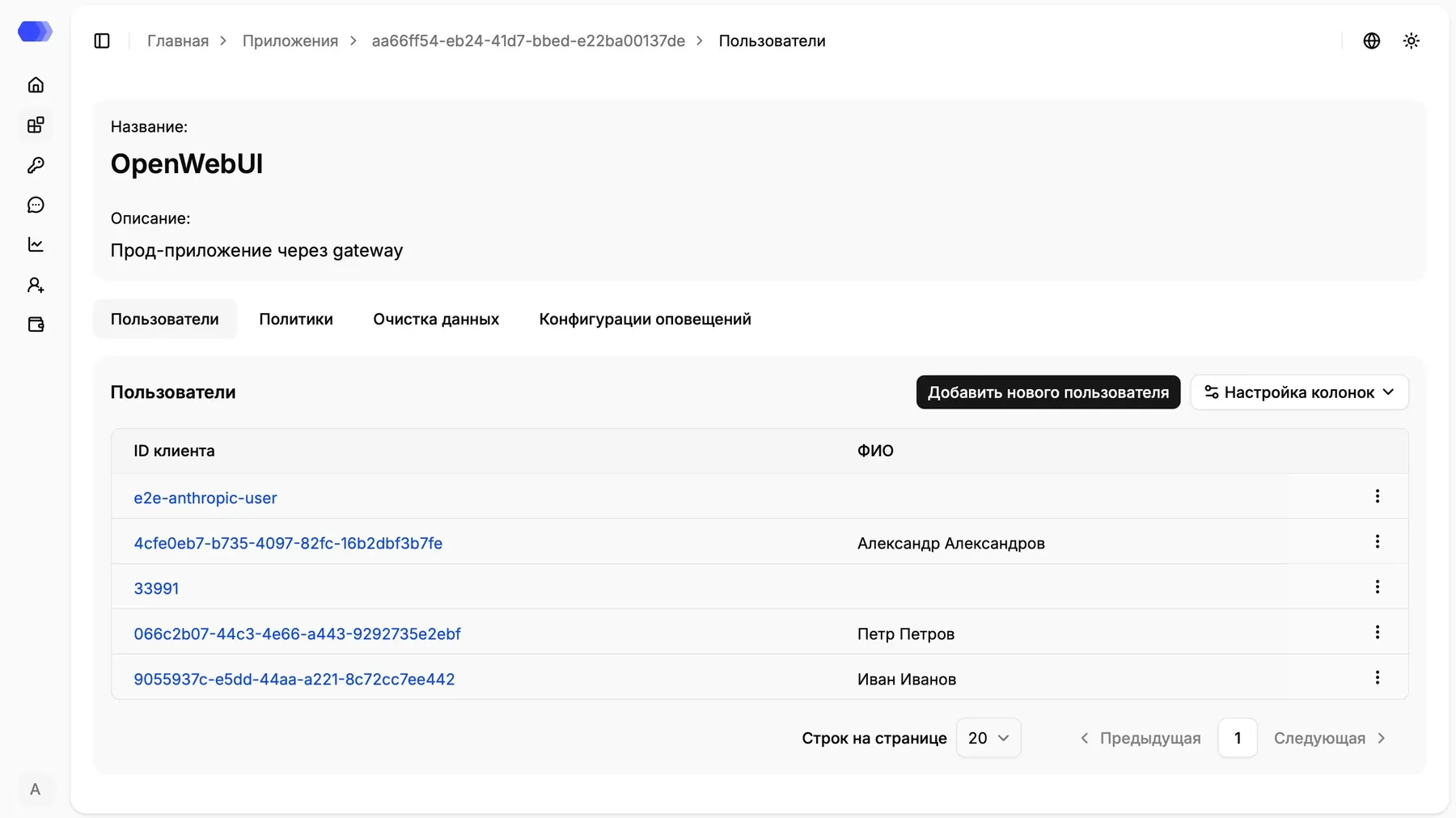
The application name and description are shown at the top. The Users, Policies, Dataclean, and Alert configurations tabs are displayed below the application details.
Users table
Section titled “Users table”The table contains:
- Client ID — the unique user identifier. A blue ID links to the user details page;
- Full name — the user’s display name, if it was supplied or added manually.
Available actions:
- Click Add new user to create a user manually.
- Open Column settings to select the visible columns.
- Use the ⋮ menu in a user row for the available record actions, including editing and deletion.
- At the bottom of the table, change the number of rows per page or move between pages.
- Click a blue Client ID to open the user details page.
Automatic user creation
Section titled “Automatic user creation”A user is created automatically when a new identifier is supplied to HiveTrace:
- in additional parameters when using the API or SDK;
- in HTTP headers when using a proxy.
An automatically created record may contain only the Client ID. Add the full name through the interface if needed.
User details and sessions
Section titled “User details and sessions”Clicking a Client ID opens the user details page. The user name and client ID appear at the top, followed by the Sessions and Files tabs.
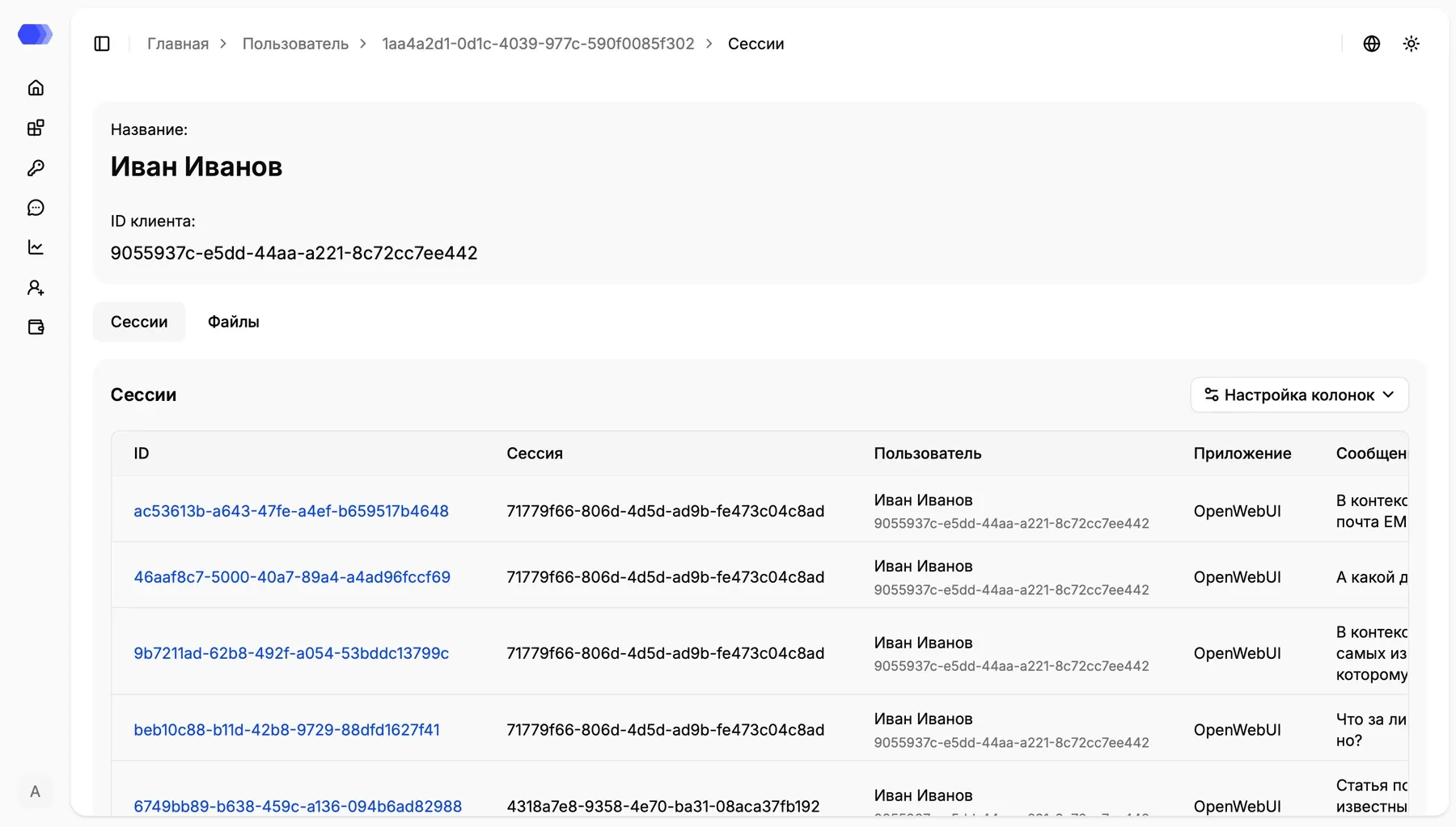
The Sessions tab shows the records associated with the user. The table contains the record and session IDs, user, application, message, and any other enabled columns.
- Click a blue record ID to open the event details.
- Use Column settings to change the table layout.
- Select Files to view the user’s uploaded attachments.
User files
Section titled “User files”The Files tab lists files associated with the user’s requests. For supported formats, you can open a preview or download the original file.
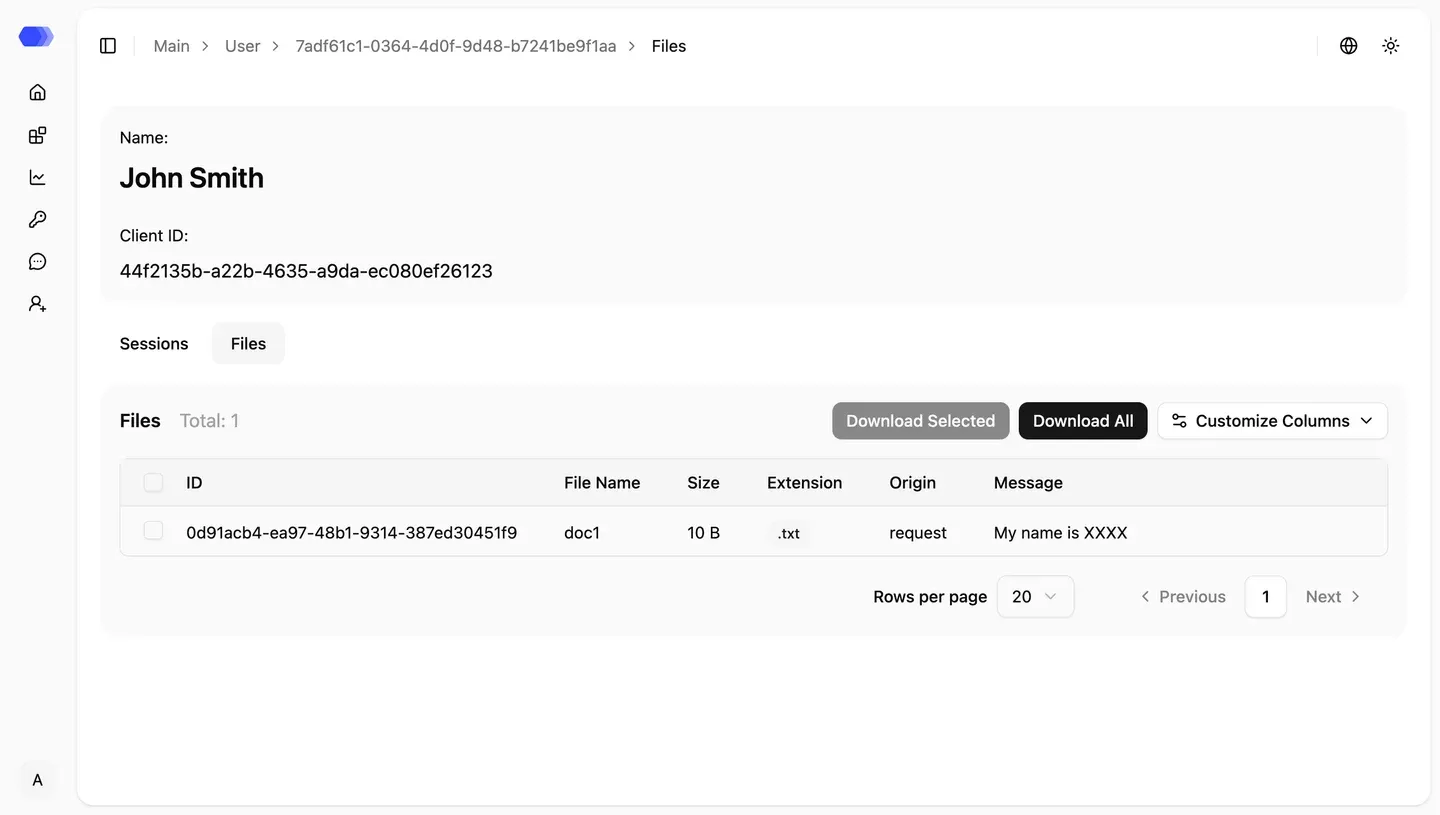
Important: file content processing depends on the global Custom file processing setting and the selected application configuration. If processing is disabled, a file appearing on this tab does not by itself mean that its contents were checked by policies or Dataclean.