

Applications
The Applications section lists AI applications connected to HiveTrace. Each application has its own integration method, operating mode, security checks, and traffic limits.
Applications table
Section titled “Applications table”Open Applications from the main menu. Add new application is above the table, and pagination is below it.
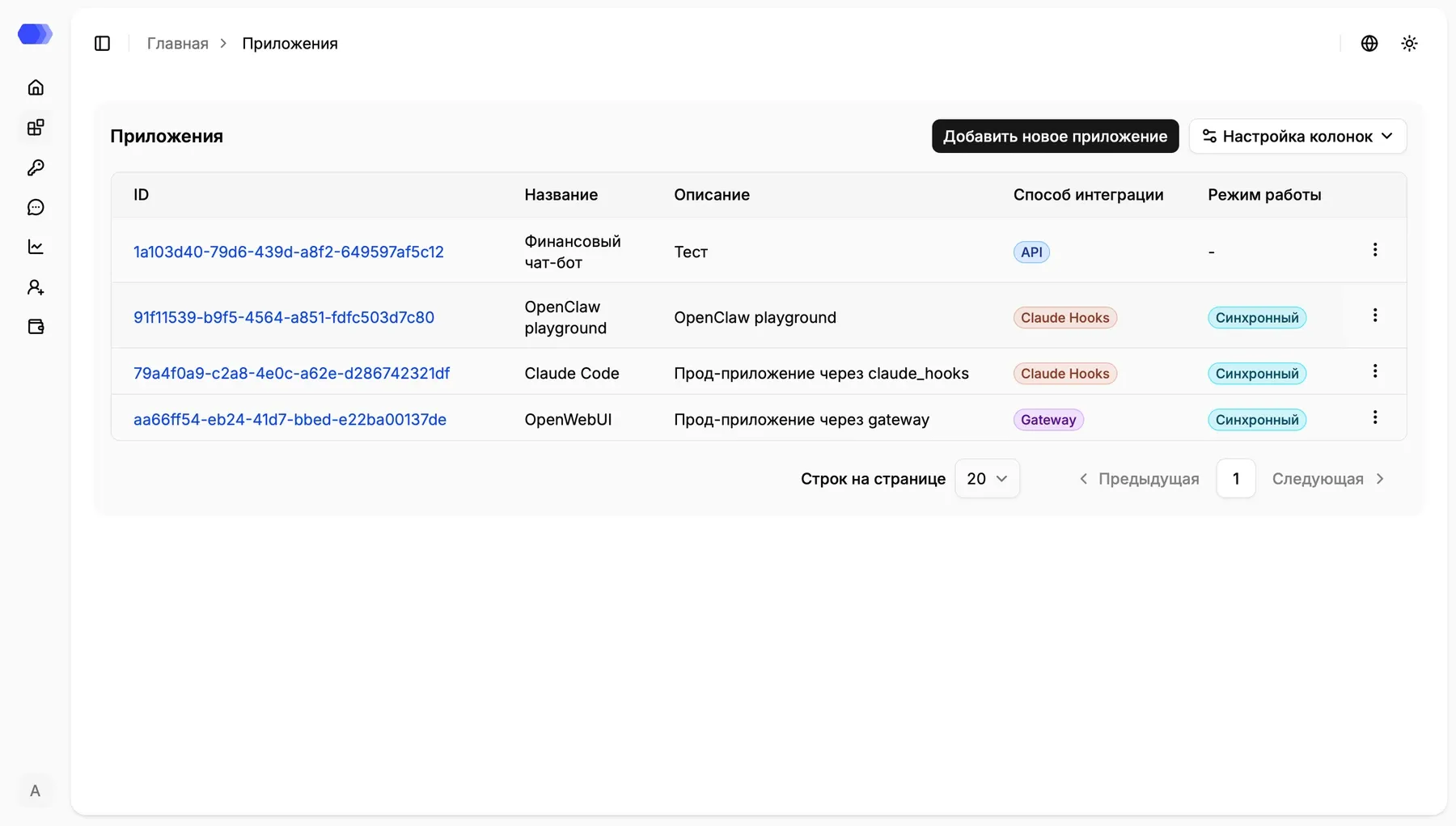
- ID — unique identifier and link to the application page.
- Name — application name; hover to see the full value when it is truncated.
- Description — the application’s purpose.
- Integration type —
Gateway,SDK,API, orClaude Hooks. - Operation mode — synchronous, asynchronous, or a dash when it does not apply.
- Actions menu — edit and delete actions.
Select an ID to open the application’s users and administrative settings. Pagination changes only the visible part of the list.
Column settings hides or restores selected columns. Rows per page changes the page size, while Previous and Next navigate between pages. The three-dot button at the end of a row opens its edit and delete actions.
Create an application
Section titled “Create an application”Select Add new application. The form contains:
- Name — required display name, up to 256 characters;
- Description — optional text, up to 1,500 characters;
- Integration type — required selection of Gateway, SDK, API, or Claude Code Hooks.
Changing the integration type immediately changes the lower form. Gateway and Claude Code Hooks settings are retained while switching options until the dialog closes. Select Add to create the application. Validation errors keep the dialog open and appear next to the relevant field.
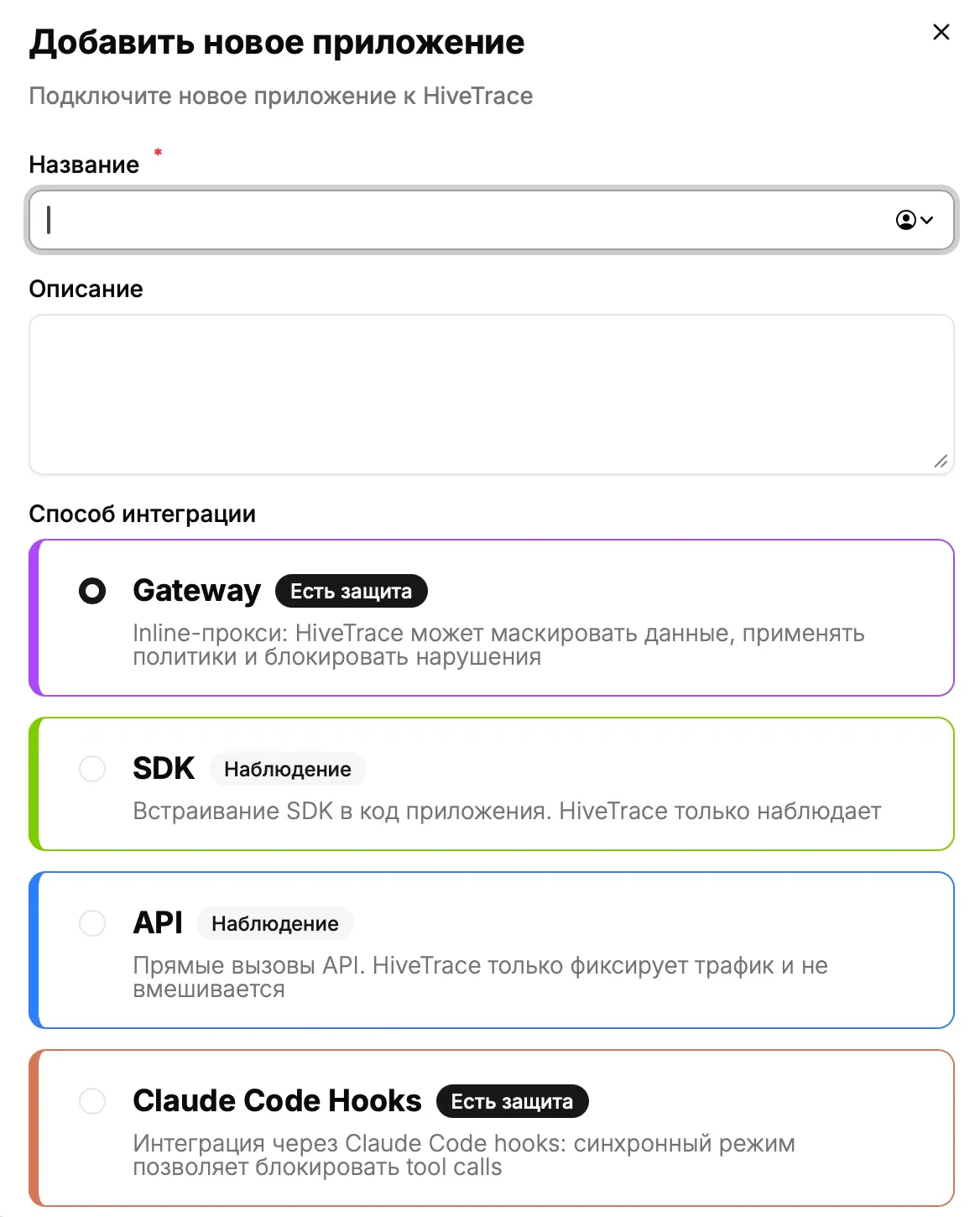
Gateway and Claude Code Hooks are marked Protected because HiveTrace can intervene in synchronous processing. SDK and API are marked Observability and send data only for recording and analysis.
Gateway
Section titled “Gateway”Gateway routes model traffic through HiveTrace and can stop unsafe requests before execution:
- Synchronous runs checks before forwarding the request and displays the remaining Gateway controls.
- Asynchronous analyses events without blocking the request; dependent fields are hidden.
- Response on violation is the required phrase returned instead of a blocked result.
- DataClean, Custom Policy, and Guardrail switches enable the corresponding checks.
- User request and LLM response define the two token limits.
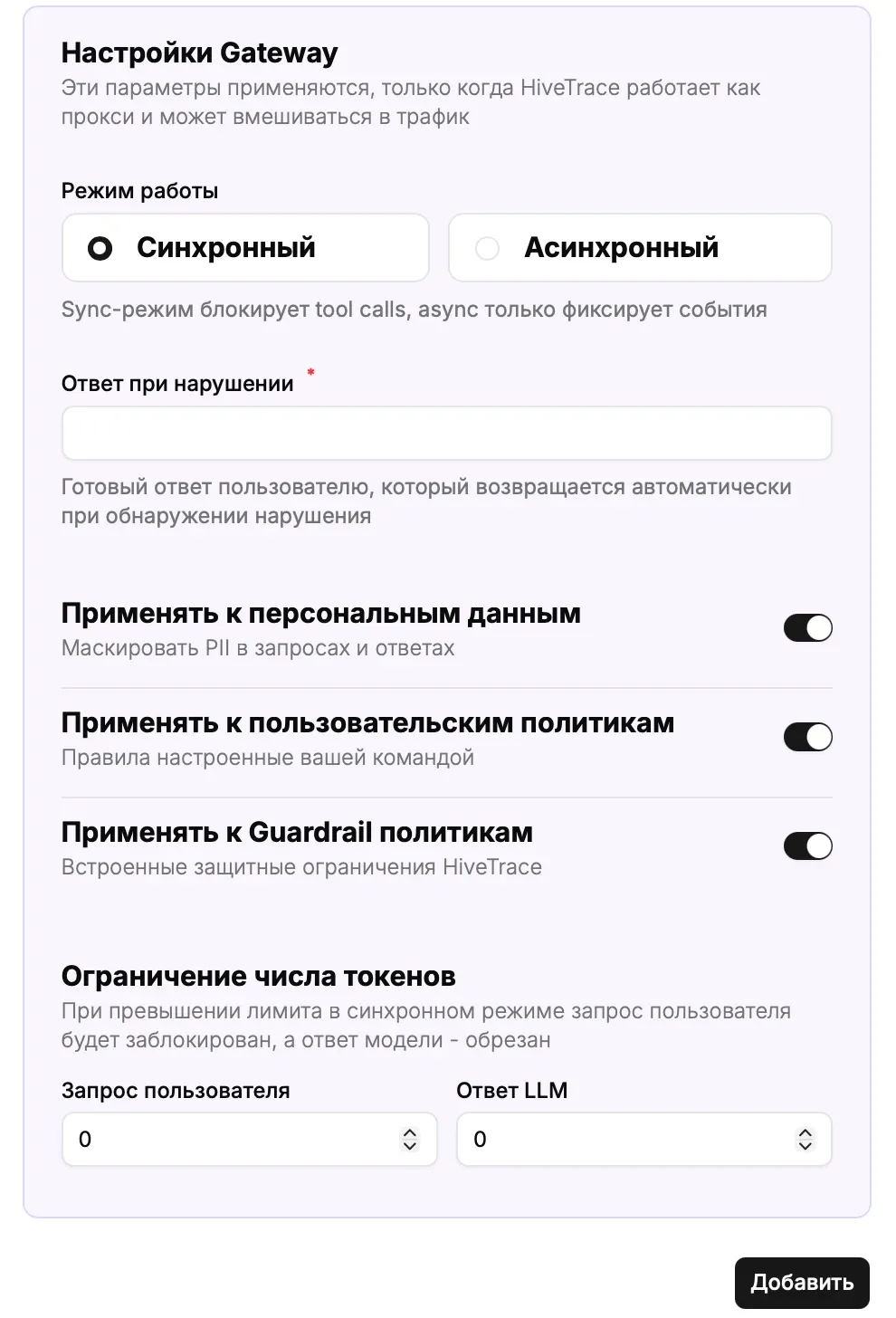
Each switch controls whether its check runs. A value of 0 in a token-limit field means that no positive threshold is configured; enter a value greater than zero to enforce a limit.
SDK and API
Section titled “SDK and API”Use these observability methods for a client library or direct HiveTrace API calls. They add no extra form fields. Application settings define default processing; Override API can supply inline configuration per request.
Claude Code Hooks
Section titled “Claude Code Hooks”This method validates Claude Code actions, including tool calls. Synchronous mode displays DataClean, Custom Policy, and Guardrail switches. The blocking-response and token-limit fields are not displayed for Claude Code Hooks.
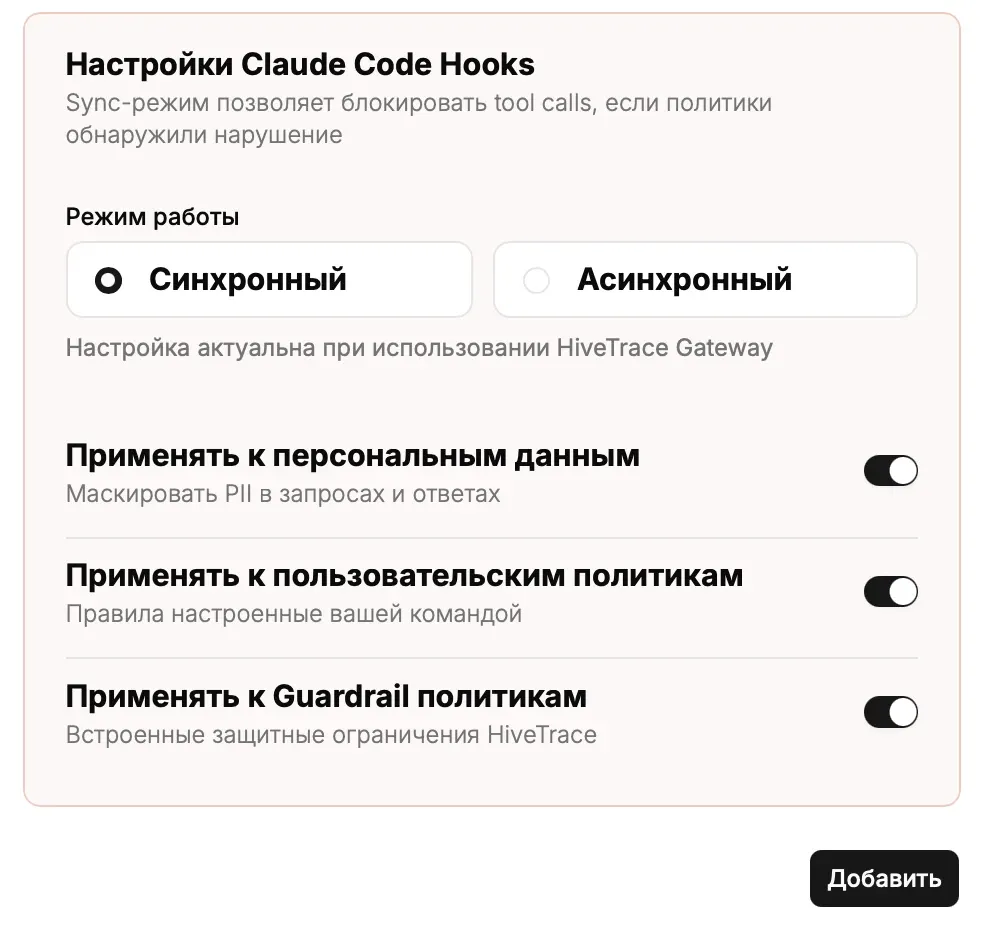
Add saves the application with all selected parameters. The close icon in the top-right corner dismisses the form without creating an application.
Editing an application
Section titled “Editing an application”- Open the actions menu in the application row.
- Select Edit.
- Change the fields or dependent settings.
- Select Save.
The application ID cannot be edited. Changes affect subsequent processing; the configuration recorded for an existing session remains available in its details.
Deleting an application
Section titled “Deleting an application”- Open the actions menu and select Delete.
- Verify the selected application in the confirmation dialog.
- Confirm deletion.
Deletion is irreversible. First ensure that integration traffic has stopped or been redirected and that associated API tokens are no longer used.
Application page
Section titled “Application page”Open an application by its ID. Available tabs are:
- Users;
- Policies — Guardrail, custom policies, and message/file blacklists;
- Data cleansing — built-in and custom patterns, allowlists, processing types and depth;
- Alert configurations.
Policy, DataClean, and alert management tabs are admin-only. The legacy Agents and Tracing sections were removed; investigate agent workflows through the session Tool calls tab.
File processing
Section titled “File processing”HiveTrace can extract text from request and response attachments and apply DataClean and file blacklists. Input and output files have separate controls, size/image limits, and a detection-only mode. Processing requires the file-extractor service.
Recommendations
Section titled “Recommendations”- Create separate applications for independent products and environments.
- Do not reuse API tokens across applications.
- Test policies after configuration changes.
- During an investigation, rely on the configuration snapshot stored with the session.