

Alerts
The Alerts page provides a centralized view of all notifications and events generated by HiveTrace. Alerts can be forwarded to external delivery channels such as email, Telegram, and to a SIEM system when integration is enabled.
The main component of the page is a table displaying alert details.
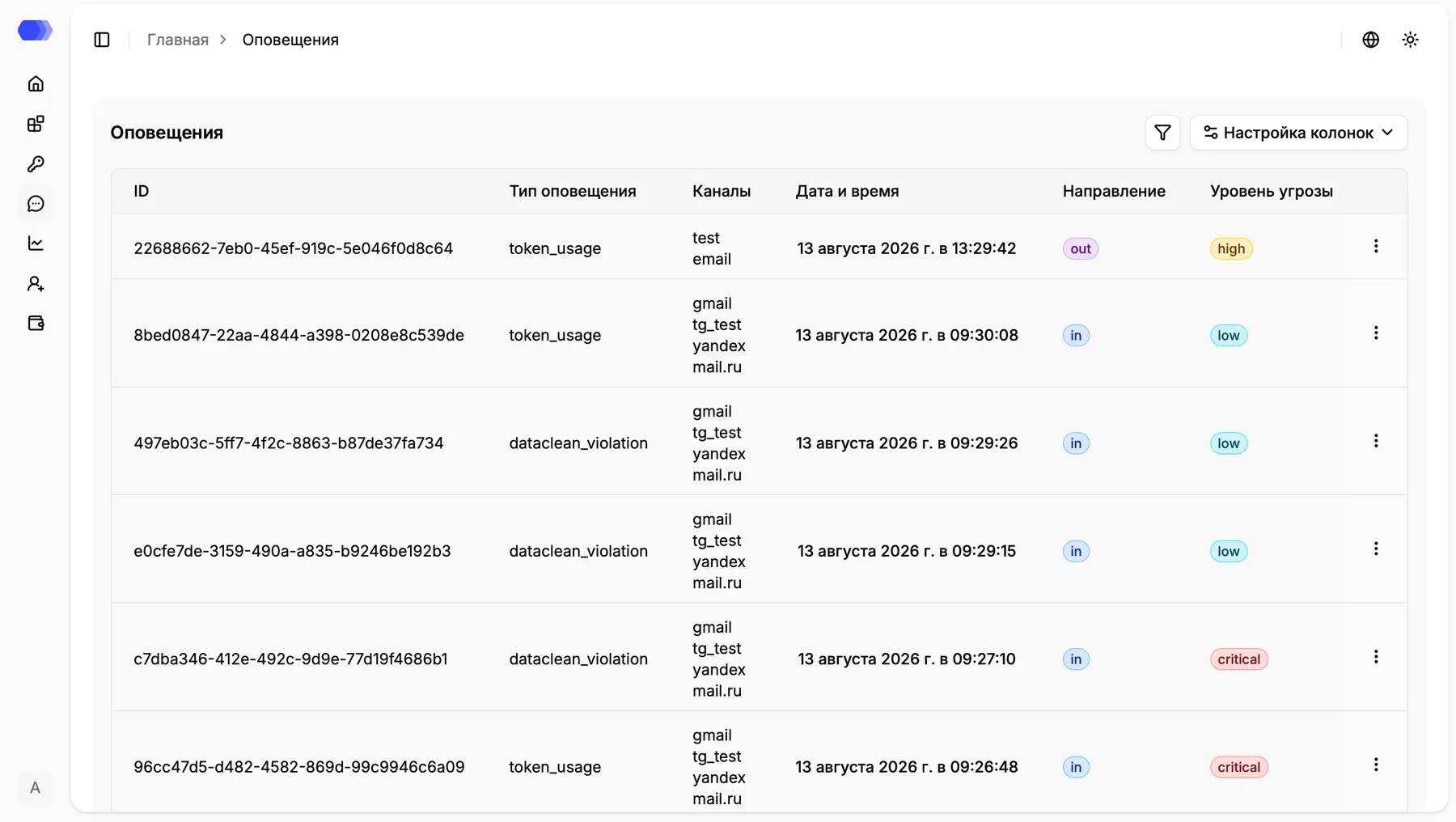
Table Columns
Section titled “Table Columns”| Field | Description |
|---|---|
| ID | Unique alert identifier |
| Alert Type | Category of the event or incident |
| Channels | Names of delivery configurations used for the notification |
| Date and Time | Time when the alert was generated |
| Direction | Event direction — in (incoming message) or out (model response) |
| Threat Level | Alert severity level: Low, High, Critical |
Note: if no notification channels are configured for the application, the Channels field will remain empty. The alert is still recorded and visible on this page.
The screenshot’s token_usage and dataclean_violation values are examples. The actual value identifies the check or threshold that generated the alert.
Filters
Section titled “Filters”Select the funnel button above the table. The filter panel contains:
- Session ID — exact session identifier;
- User ID — internal user identifier;
- Application — application selector;
- Alert type — event name;
- Channel type —
E-mailorTelegram; - Channel name — specific delivery-configuration name;
- Severity —
low,high, orcritical; - Direction —
inorout; - Date — range ending no later than the current date.
Applying filters updates the page URL parameters. Reset clears every condition. Filled fields are combined, so an overly narrow combination can return an empty table.
Table controls
Section titled “Table controls”Column settings hides or restores columns without deleting data. Pagination at the bottom changes the number of rows and opens the previous or next result page.
Navigating to Incident Details
Section titled “Navigating to Incident Details”Each alert entry includes a context menu (the three-dot icon) that allows you to open detailed information about the event.
Select Session list to open the sessions of the user associated with the alert. The action is disabled when the event has no user_id.
This capability helps quickly reconstruct the incident context, analyze the interaction flow, and determine what caused the policy or threshold to trigger.
The Alerts page ensures full visibility into security events, simplifies investigations, and supports timely incident response.