

API tokens
API tokens authorize SDK and direct API integrations. A token value is displayed only once after creation.
API-token table
Section titled “API-token table”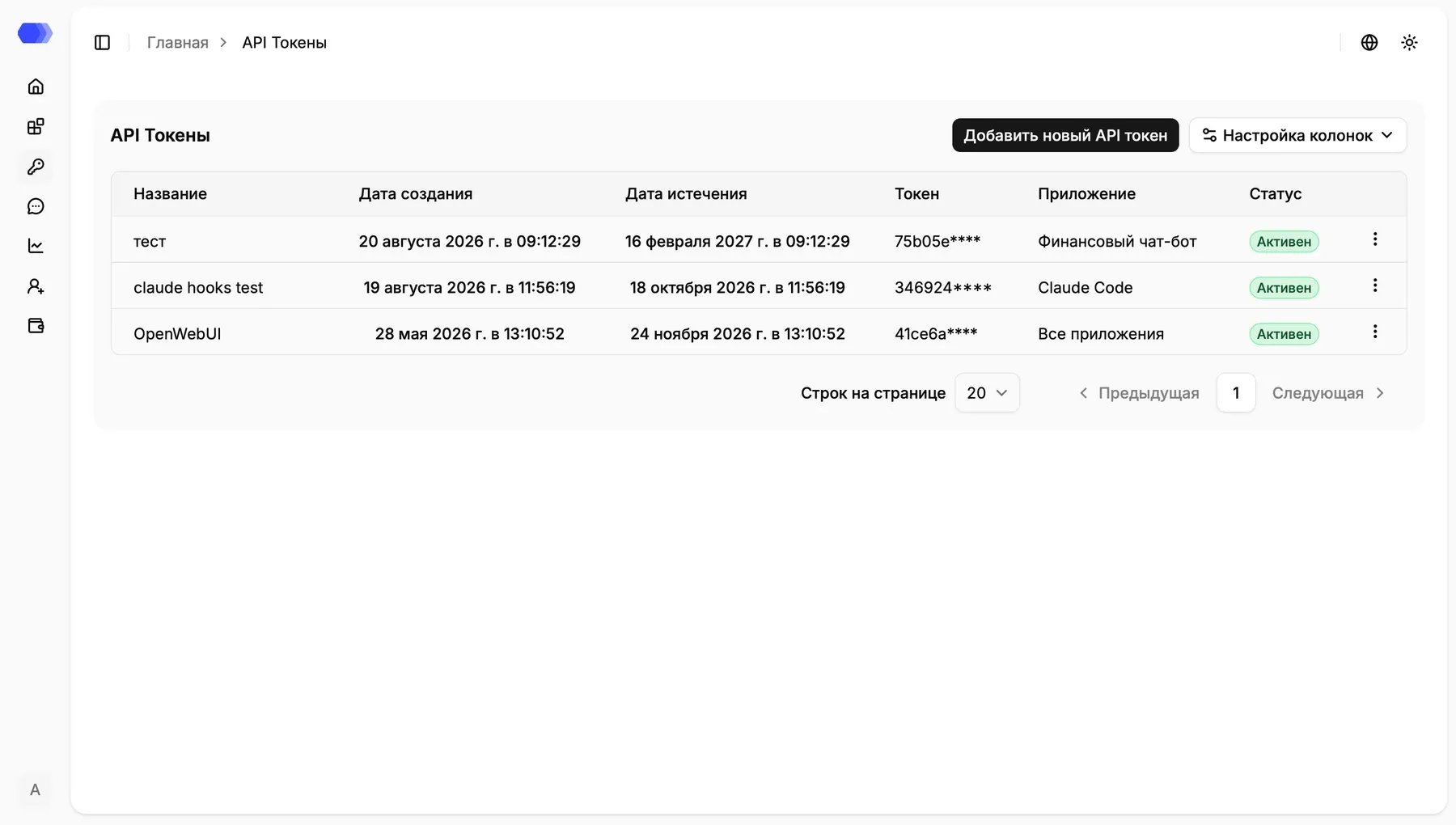
- Name — human-readable purpose of the token.
- Created at — issue time.
- Expires at — time after which authentication fails.
- Token — safe shortened preview; the full secret is never shown in the table.
- Application — the assigned application, or All applications for a legacy token.
- Status —
ActiveorInactive. - Row menu — deletes the selected token after confirmation.
Column settings hides or restores columns. Rows per page, Previous, and Next control pagination.
Create a token
Section titled “Create a token”Select Add new API token and provide:
- Name — required purpose of the token;
- Application — required scope selected from existing applications;
- Lifetime in days — optional positive integer from 1 to 3,650. Leaving it blank uses the server default.
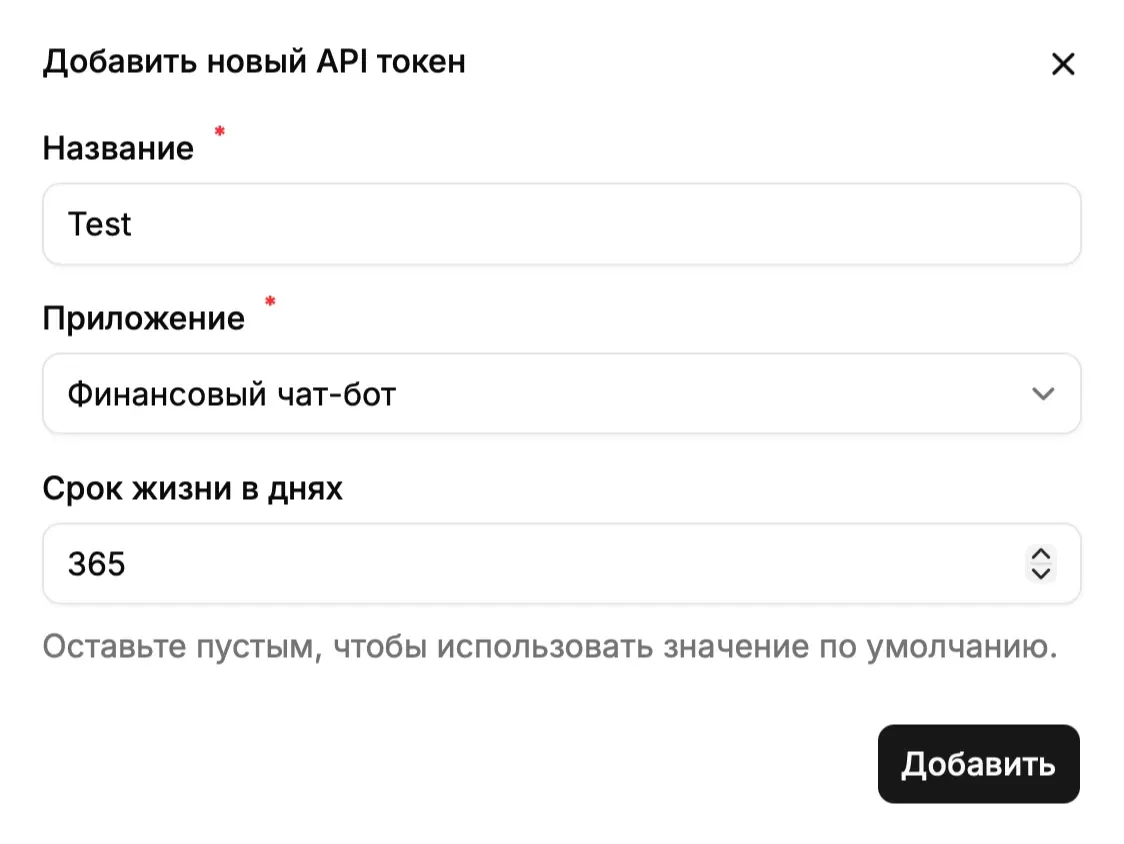
Select Add, then copy the generated token from the next dialog and store it in a secrets manager. Its full value cannot be recovered after the dialog closes.
Application scope
Section titled “Application scope”HiveTrace 4.3 scopes every newly created token to one application; the request application_id must match it.
Tokens created before upgrading to 4.3 can display All applications and have application_id = null. They remain visible for backward compatibility, but the 4.3 interface cannot create another token with this scope. Replace each legacy token with separate application-scoped tokens and then delete it.
Deleting a token
Section titled “Deleting a token”- Select the three-dot button in the token row.
- Select Delete.
- Confirm the action.
Deletion immediately revokes integration access. Move the application to a replacement token and verify a request before deleting the old credential.
Security
Section titled “Security”Send the token as Authorization: Bearer <token>. Never place it in browser code, source control, logs, or documentation examples. Use separate short-lived tokens per application and environment, rotate them, and revoke unused credentials.