

System users
Use System users to manage employee accounts that can sign in to the HiveTrace administration console. Open it from the user-with-plus icon in the left navigation.
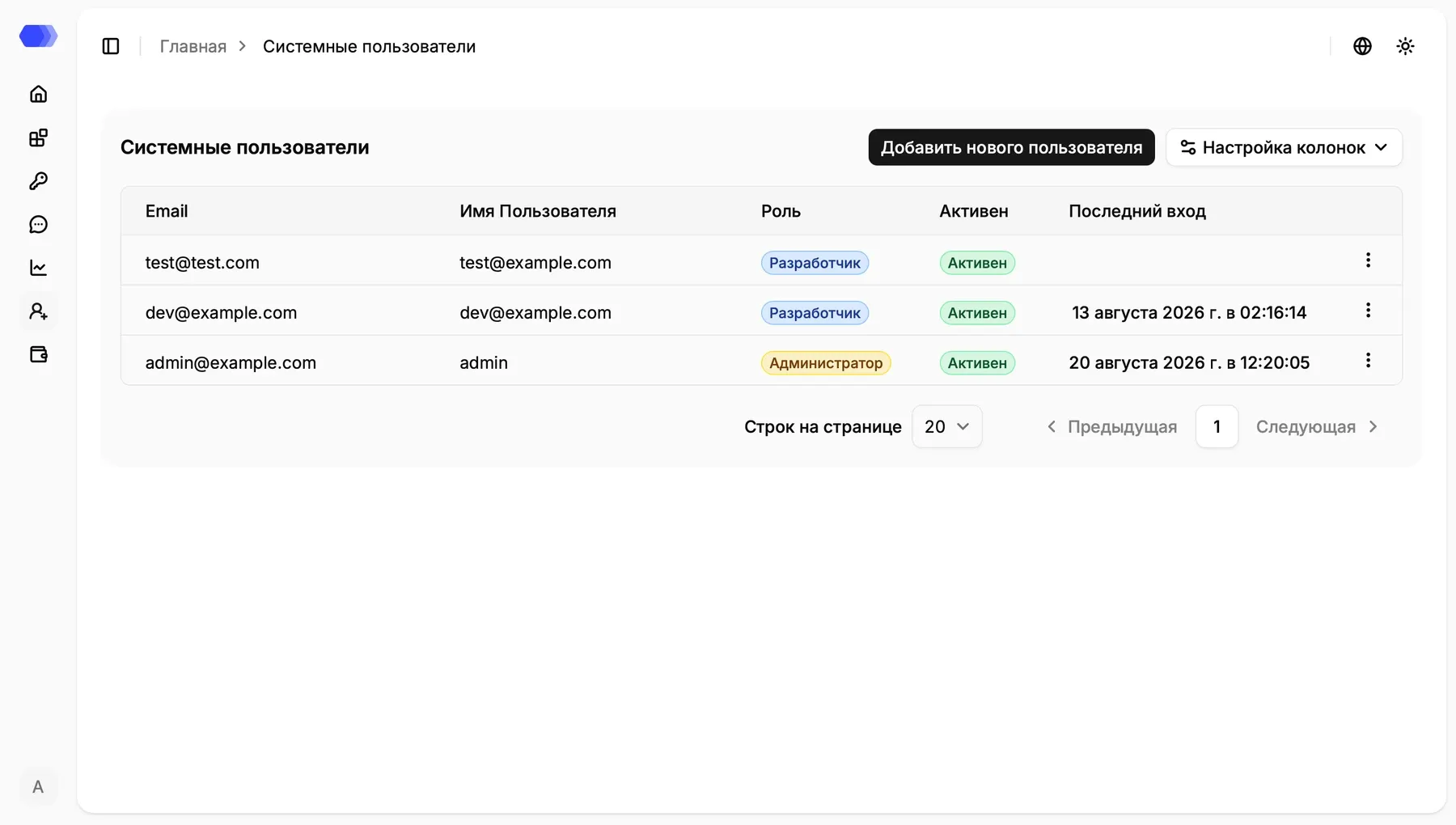
User table
Section titled “User table”Each row represents one account. The table contains the following information:
| Column | Description |
|---|---|
| Address the user enters when signing in | |
| Username | Display name for the account |
| Role | Set of available capabilities, such as Administrator or Developer |
| Active | Current account state |
| Last login | Date and time of the last successful sign-in; blank when the account has never signed in |
Click Column settings to show or hide available table fields. The ⋮ menu at the end of a row opens actions for that account; the available actions depend on the current administrator’s permissions and the account state.
Use the controls below the table to change the number of rows per page or move to the previous or next page. An unavailable navigation control is shown disabled.
Add a user
Section titled “Add a user”- Click Add new user.
- Complete all required fields.
- Verify the selected role and password.
- Click Add.
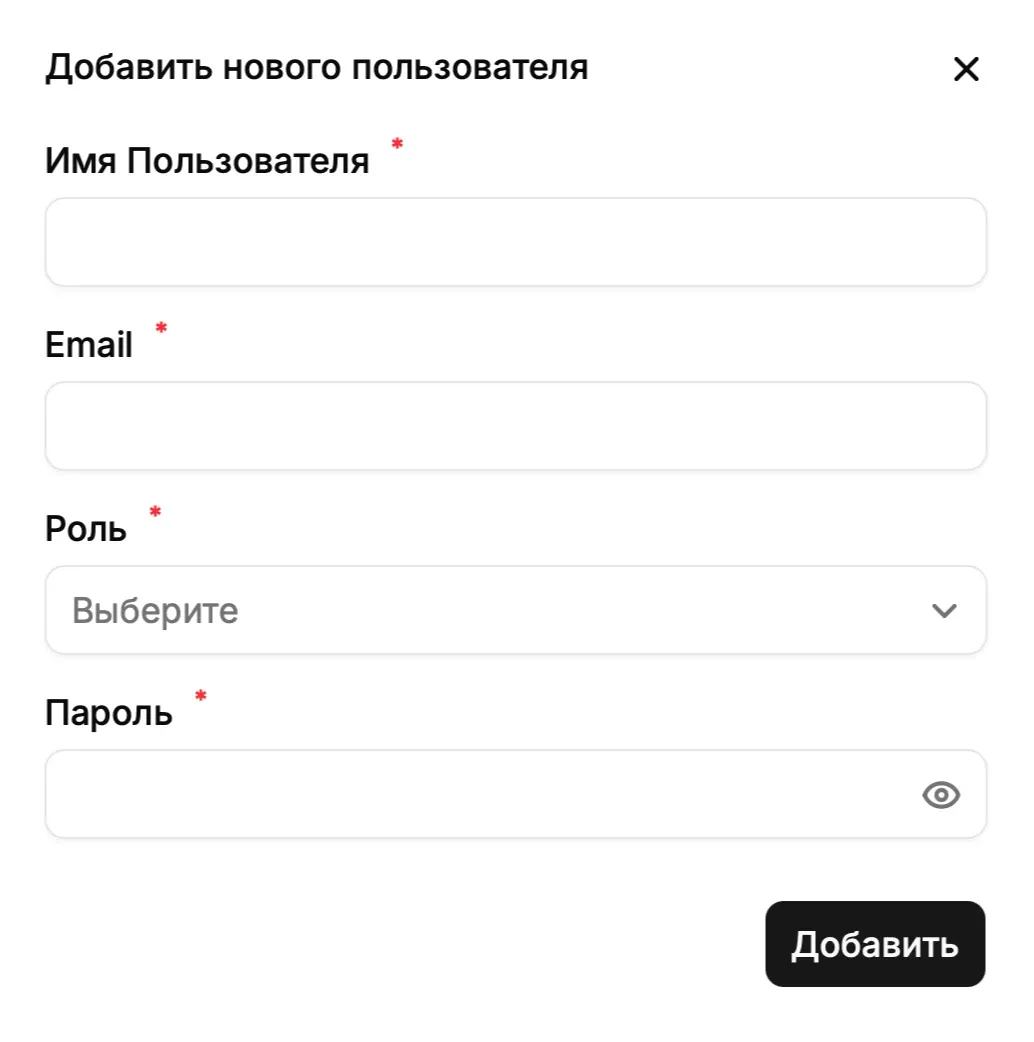
The form contains:
| Field | Purpose |
|---|---|
| Username | Name displayed in the interface |
| Unique address used to sign in | |
| Role | Determines available sections and operations |
| Password | Initial password for the new account |
All fields are marked with an asterisk and are required. Open Role with the arrow and select the appropriate option. The eye icon in Password reveals or hides the entered value. Click × to close the form without creating an account.
After the user is added successfully, the account appears in the table. Share the password through a protected channel and grant only the permissions needed for the person’s responsibilities.
- Administrator is intended for HiveTrace management and configuration, including administrative areas.
- Developer is intended for technical users who integrate and maintain applications.
The exact set of available operations can depend on deployment configuration. If a user cannot see a required area, first check the assigned role and account status.